It is very important that your device is supervised before attempting this process. Please make sure it says “This iPhone is supervised and managed by CloudVeil” at the top of Settings.
- Open Safari on the device and navigate to manage.cloudveil.org/mdm/AirWatch-BusinessProxy-iOS.mobileconfig or send it to the device.
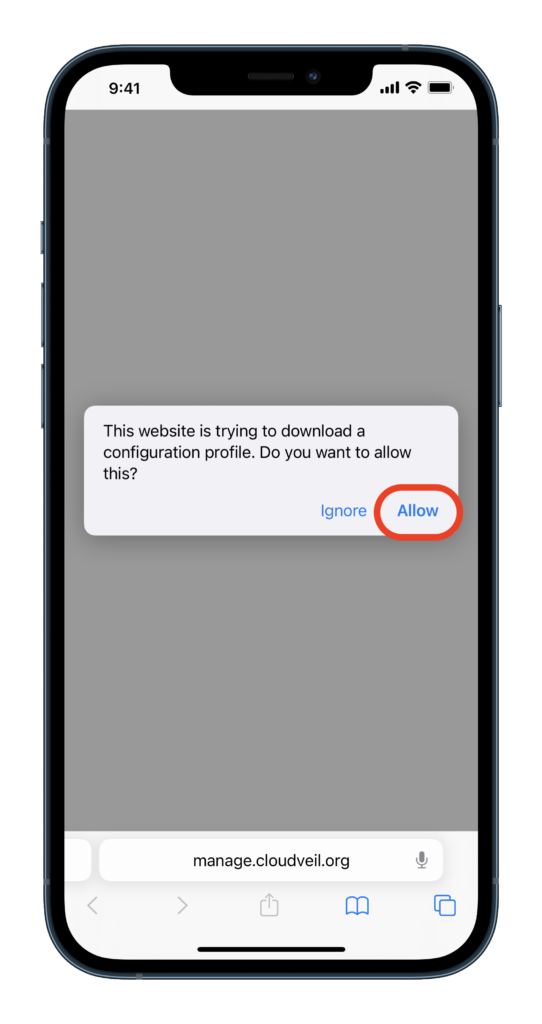
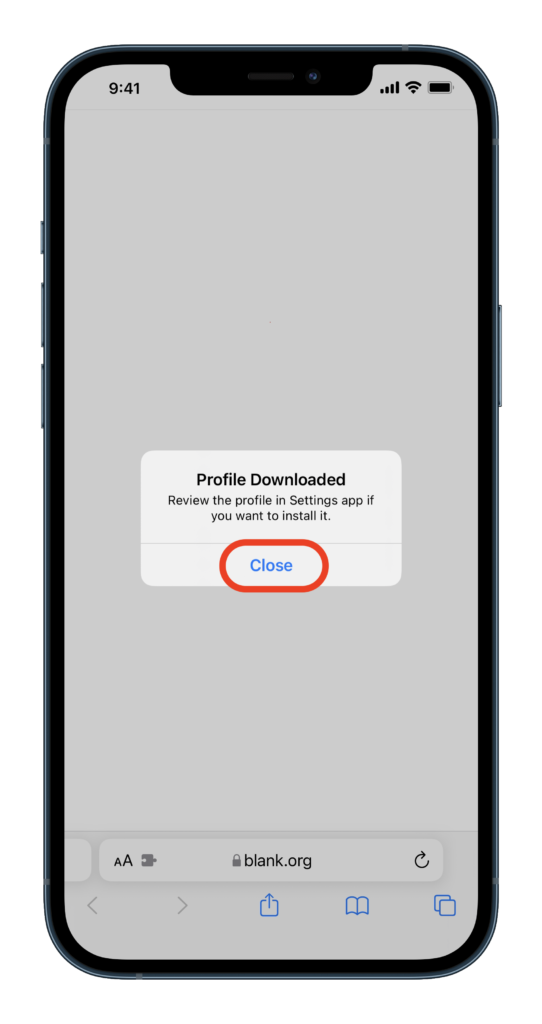
- Choose Allow, then Close.
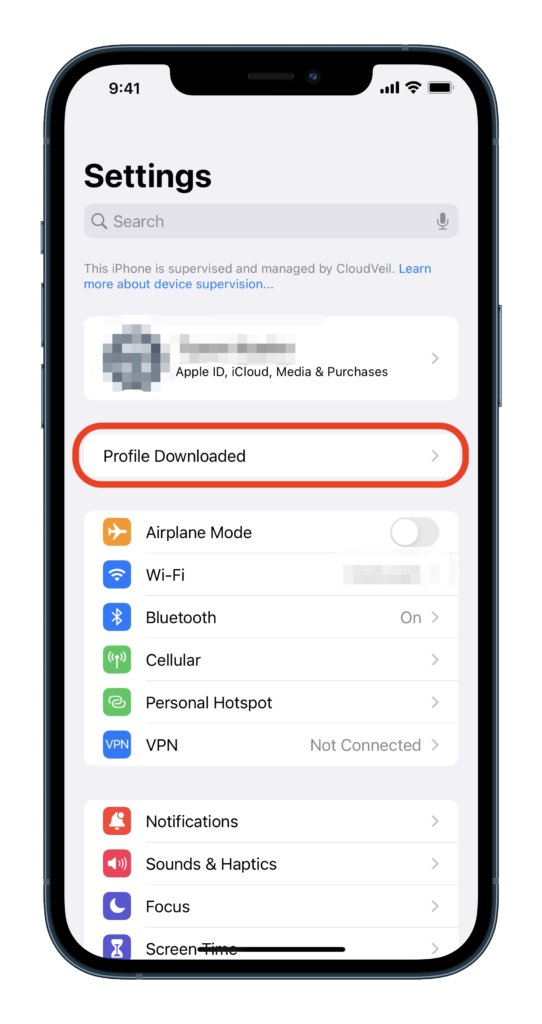
- Open Settings and tap Profile Downloaded.
- Choose Install.
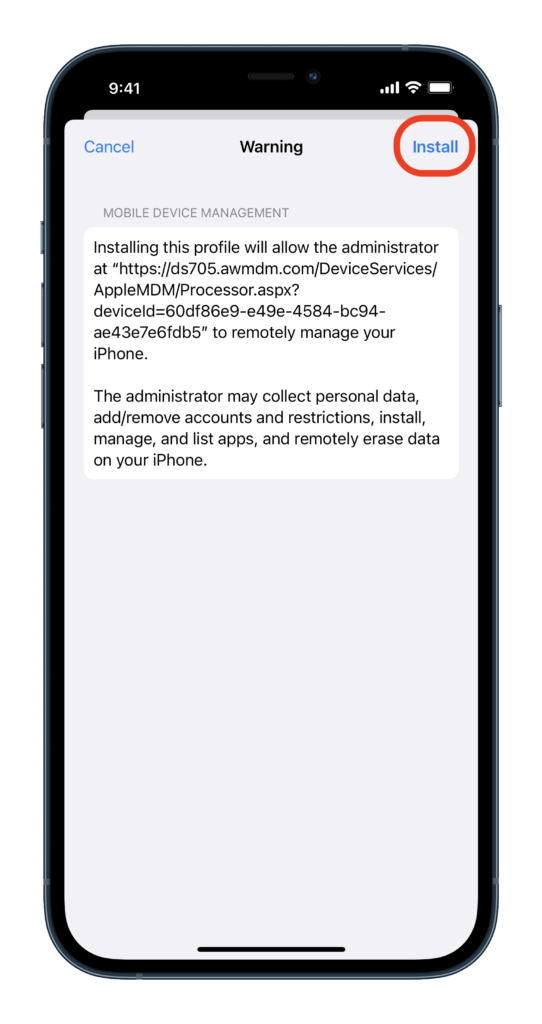
- Then Install again.
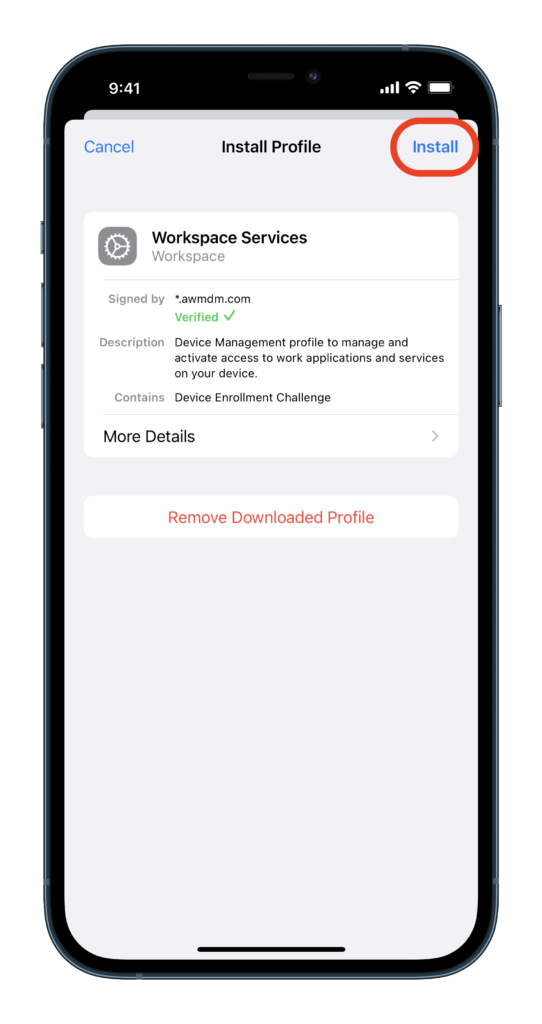
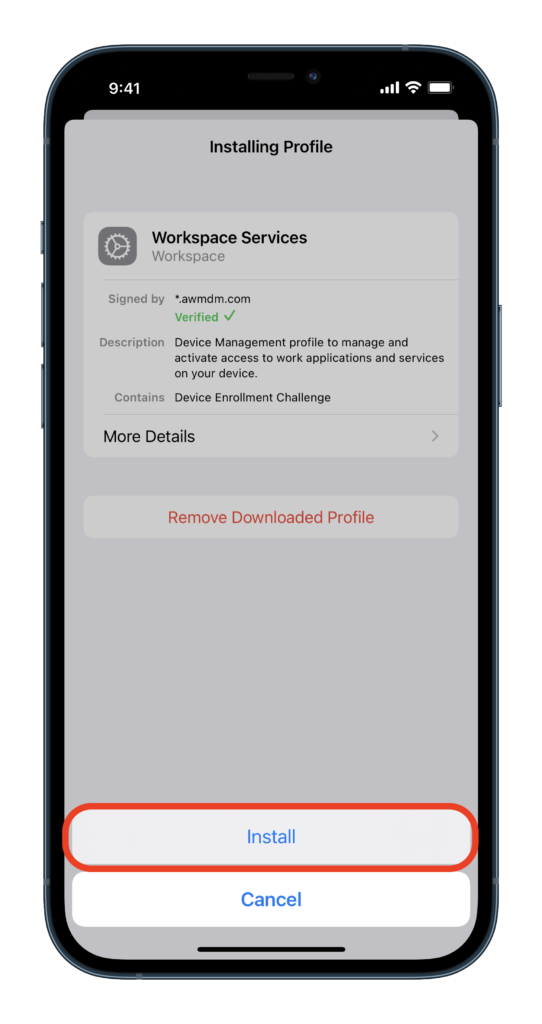
- Choose Install.
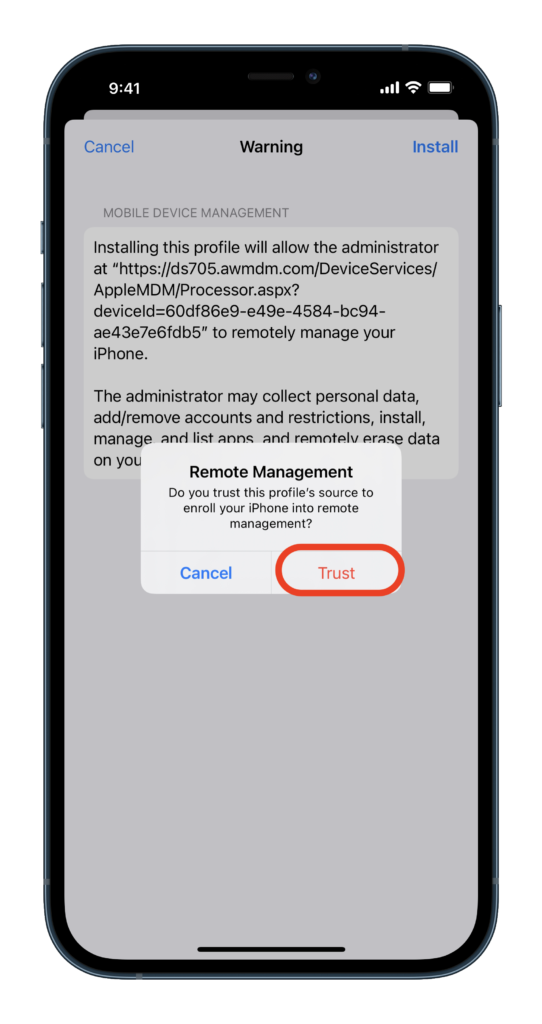
- Trust Remote Management.
- And click Done.
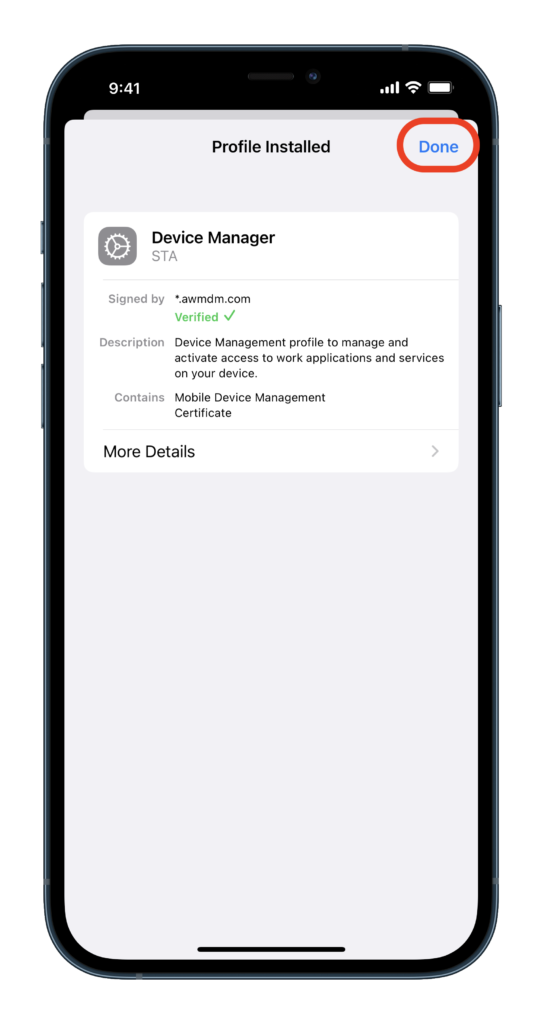
Success! You’re all done installing your Global filter.